Skip to content
Let’s Talk
WORK / SOFTWARE

Vision.

Everything a small company runs on, in one place, so it stops living in someone’s head.

CLARITYARC PRODUCT
Nothing
slips.

Renewals, key dates and what’s waiting on you, in front of you before they become a problem.
VISION / TECHNOLOGYPRODUCT SCREENSHOT
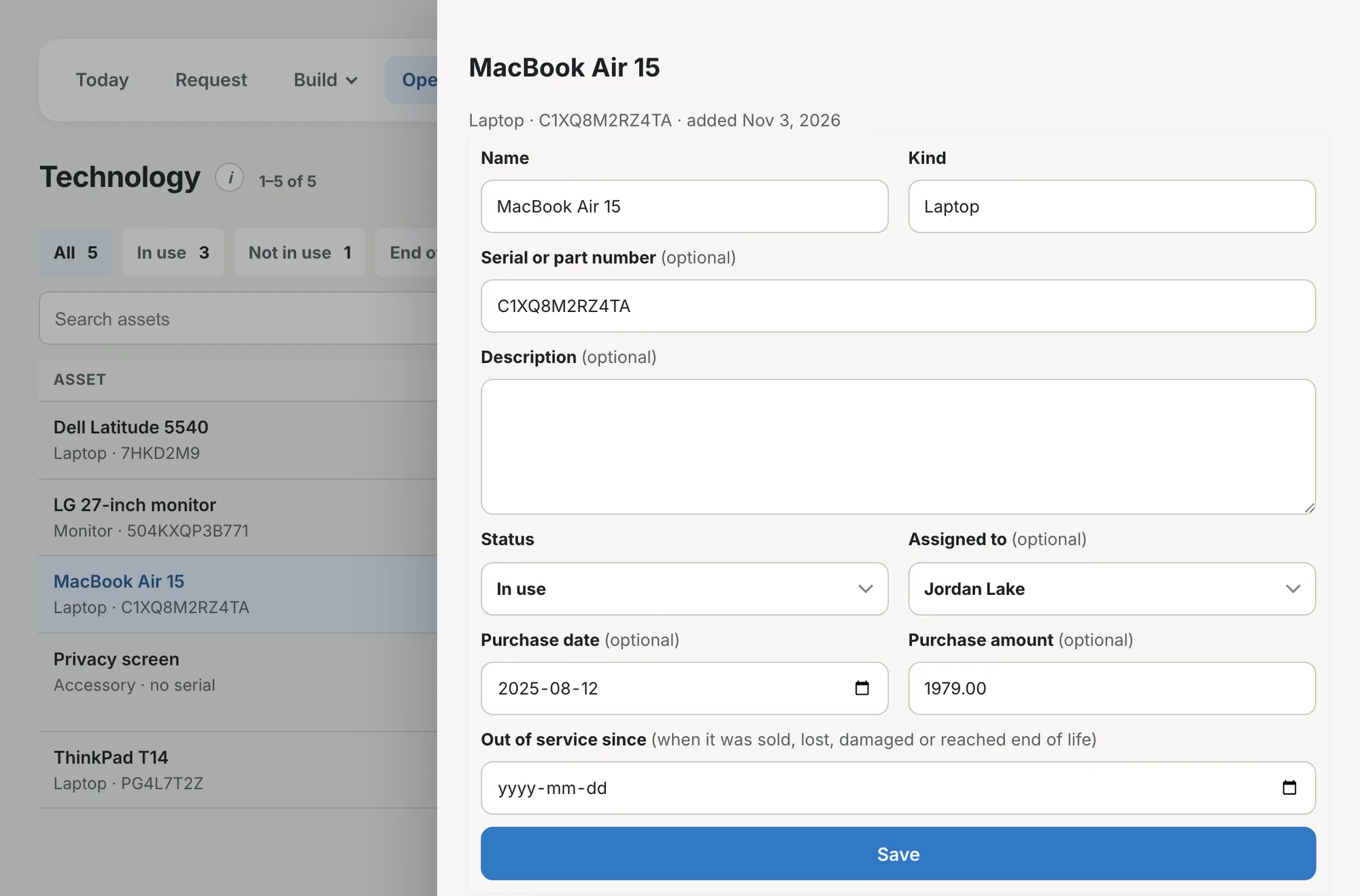
Vision’s Technology list with one laptop open beside it: its serial number, status, who holds it, when it was bought and what it cost.
Everything the company owns, who holds it and what it cost.Data shown is for demonstration. Select the image for a larger view.
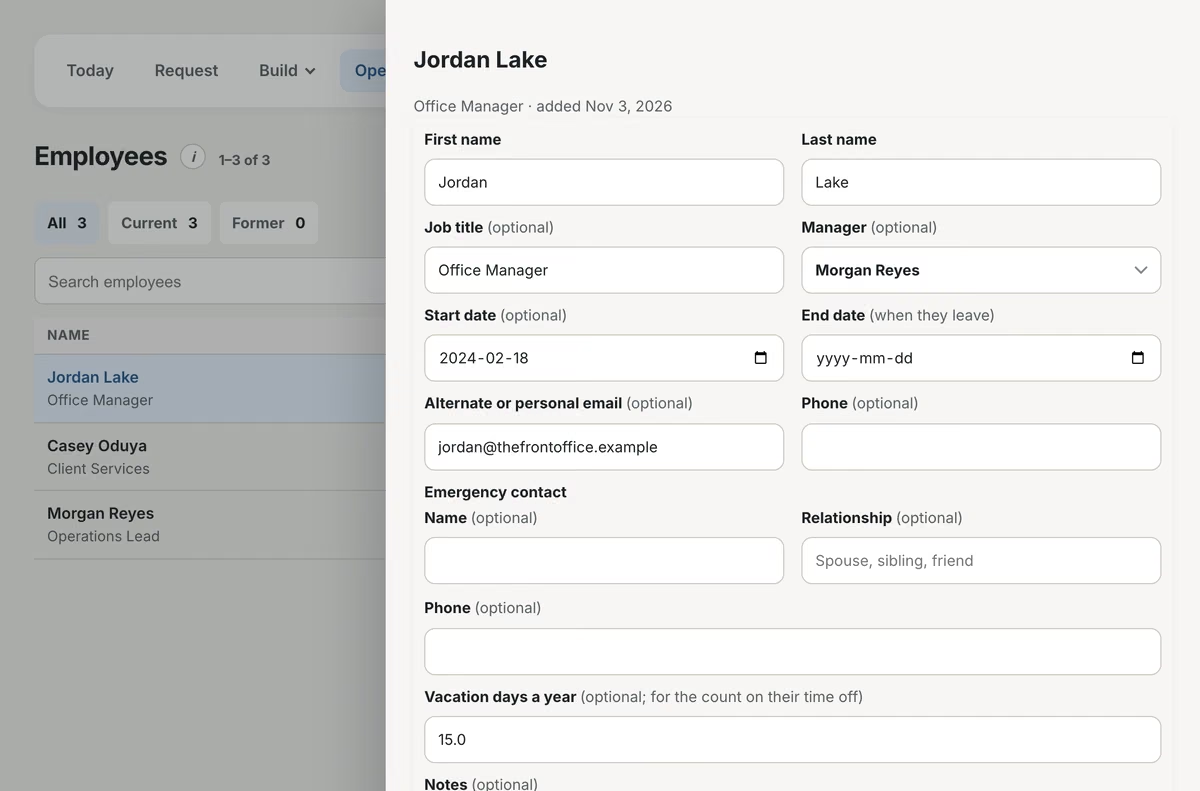
  1. Vision’s Employees list with one person open beside it: their name, job title, manager, start date and contact details, from demonstration data.01 / PEOPLEKnow who you work with.

    Your people, contractors and clients: who they report to, when they started and who to call. Personal data is protected.
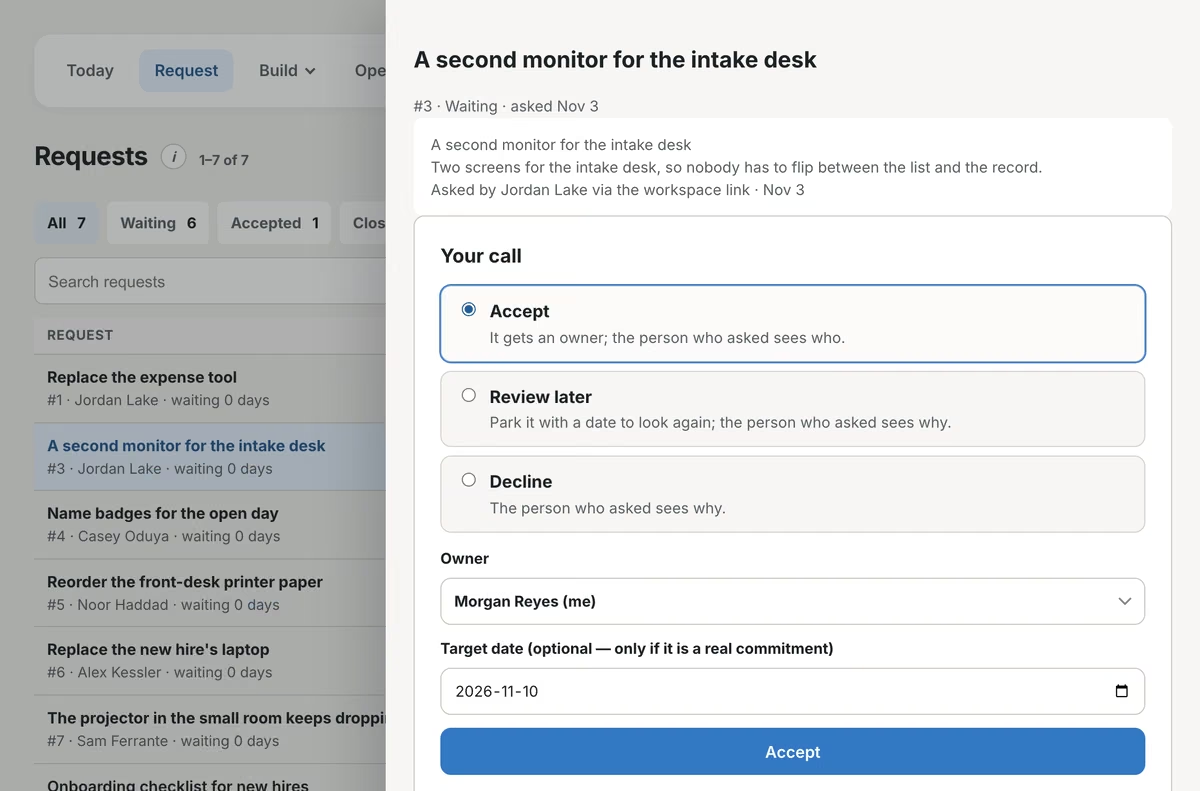
  2. Vision’s request list with one request open: who asked, and the choice to accept, review later or decline, with an owner and a target date.02 / REQUESTSKnow what people need.

    Anyone can ask from a simple link. Someone gives an answer, and whoever asked sees why.
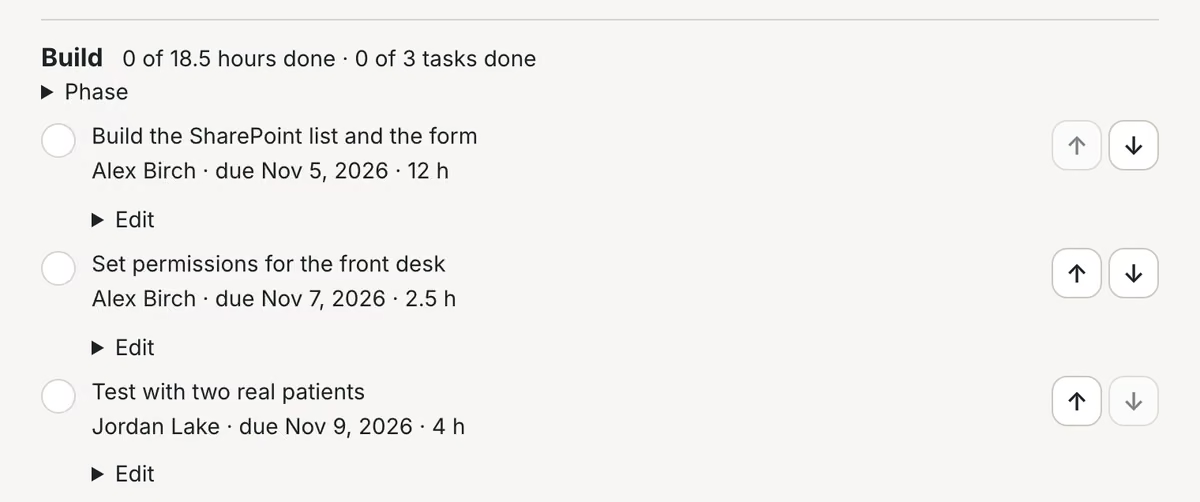
  3. A project plan in Vision: the tasks in one phase, each with who has it, when it is due and the hours it should take.03 / WORKKnow what’s getting done.

    From the first conversation to the final invoice: opportunities, projects, time and invoices in one place.
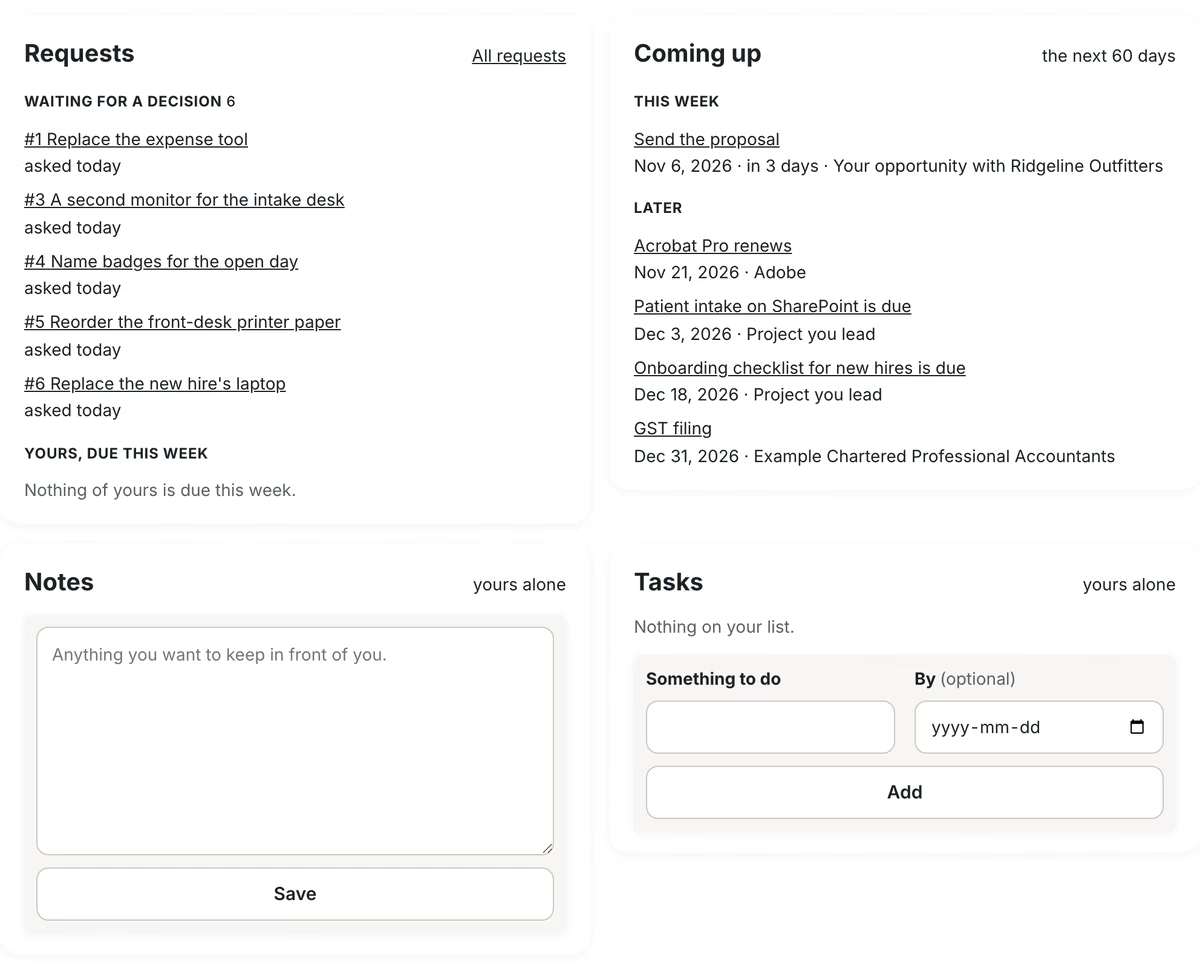
  4. Vision’s Today page: requests waiting for a decision, what is coming up in the next 60 days, and your own notes and tasks.04 / TODAYKnow before it’s a problem.

    What’s waiting on you and what’s coming due, on one page and in a weekly email.

What you have

Equipment and who holds it; software licences counted seat by seat; suppliers and contracts with their renewal dates.

Who you work with

Employees, time off and contractors, with clients and partners alongside. Identity details and pay are open only to the people given access.

What people need

Anyone on the team, or anyone with the link, can ask for something. Someone says yes, not yet or no, and gives a reason. Whoever asked gets their own page and an email on every change.

What’s getting done

From the first conversation to the final invoice. Opportunities become clients, accepted requests and won work become projects with a plan, hours are logged against them, and the invoice builds from the hours. A client can follow their project on a page of its own.

Nothing slips

A Today page and a weekly email show what is waiting on you and what is coming due: a renewal, a key date, the next step on a piece of work.

The approach

AI-native development using Claude Code, Next.js, React, Supabase/Postgres, Clerk and Vercel.

Explore Products
MORE WORK

Keep reading.

All work

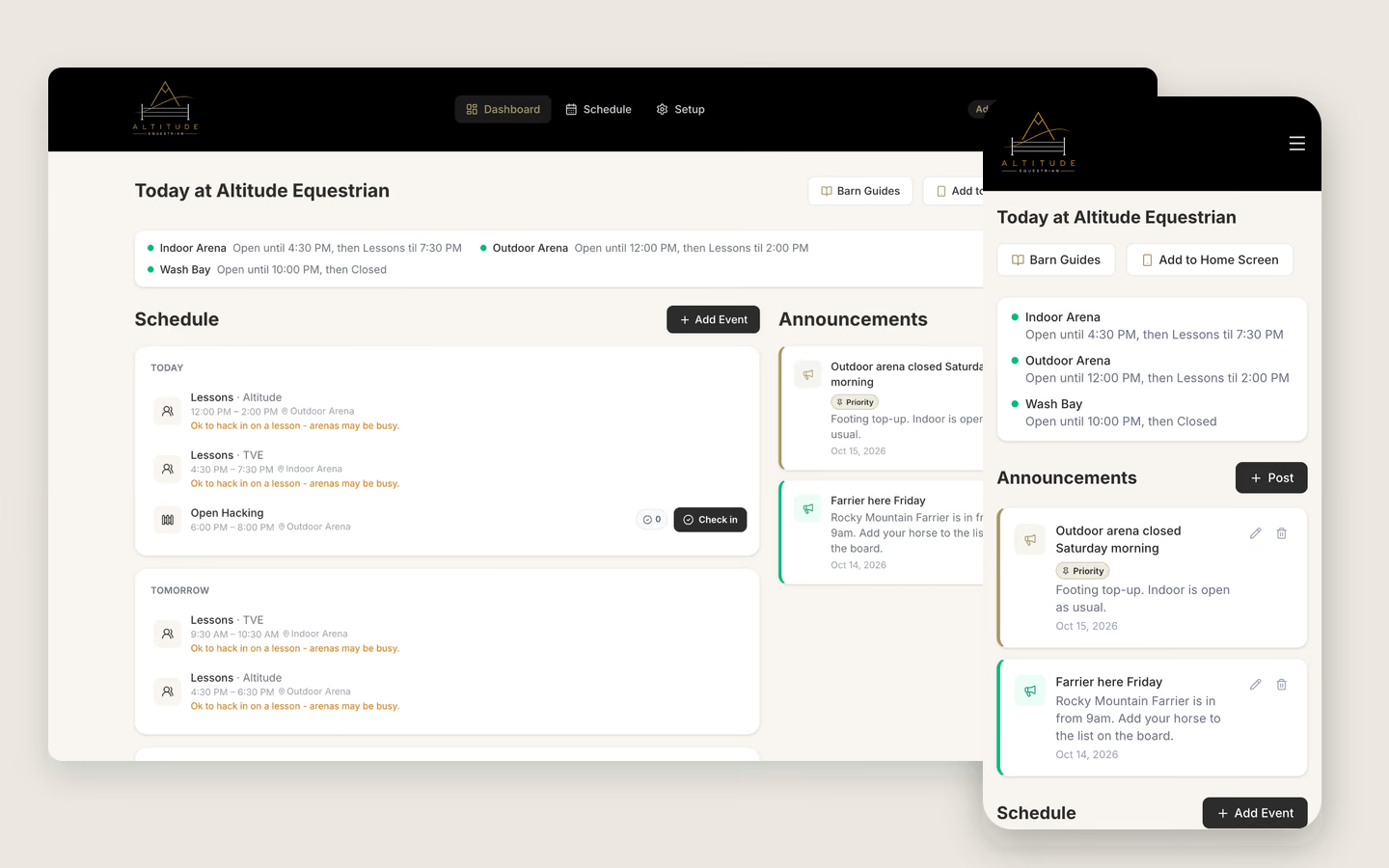
The facility’s dashboard on desktop and phone: what each arena and the wash bay is doing now and next, today’s and tomorrow’s lessons, open riding with check-in, and announcements such as a farrier visit and an arena closure.
SOFTWARE / SHOW JUMPING FACILITY

One board
for the barn.

A custom scheduling and communication application for a show-jumping facility, on desktop and phone.

EVERY ARENA. EVERY PHONE.Clearer scheduling and communication across the facility.
Read the case
Vixen on three phones: the daily check-in with feeling good, 30 minutes and lift chosen and the workout it built; dumbbell goblet squats, four sets of ten, with the rest timer running; and the finish screen with 100 XP, 15 gems and a one-day streak.
SOFTWARE / FITNESS

Your kind of strong.
One day at a time.

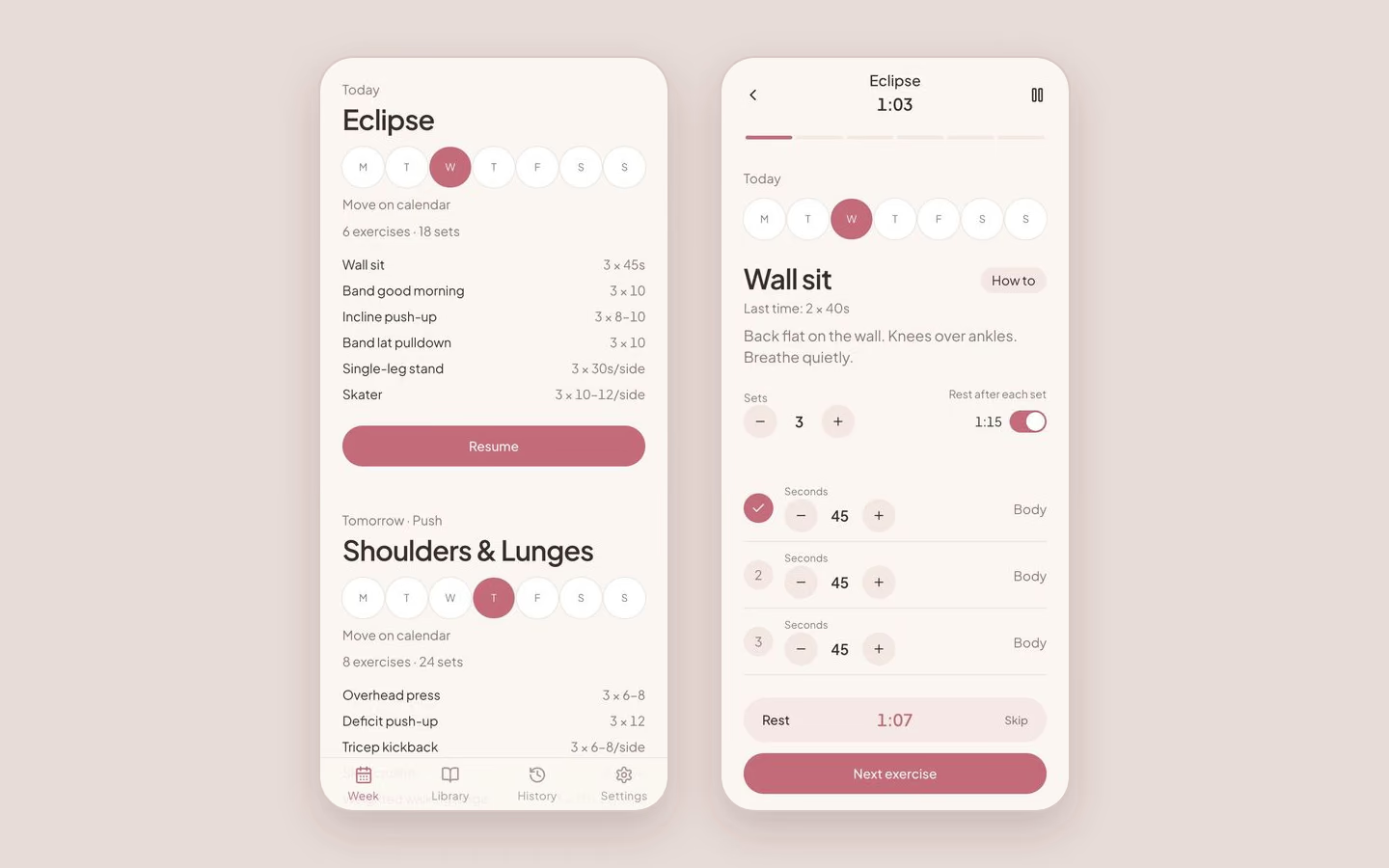
A workout app that starts with a quick check-in and builds the day’s session around your energy, your time and your equipment.

A QUICK CHECK-IN. A WORKOUT THAT FITS.Built around your energy, time and equipment.
Read the case
APPLY IT TO YOUR WORK

Have something
like this in mind?

Tell us about the work you want to change. A few sentences are enough.

Let’s Talk